
How to Find Zoning Map for Any Property in Colorado (Step-by-Step County Guide)
Finding zoning information for a property in Colorado is one of those tasks that sounds straightforward until you actually try to do it. On the surface, it seems like you should just be able to type an address into a website and immediately see what the land is zoned for.
But in reality, Colorado does not work like a single centralized system. There is no statewide zoning map, no universal lookup tool, and no one website where all zoning information is stored in a consistent format.
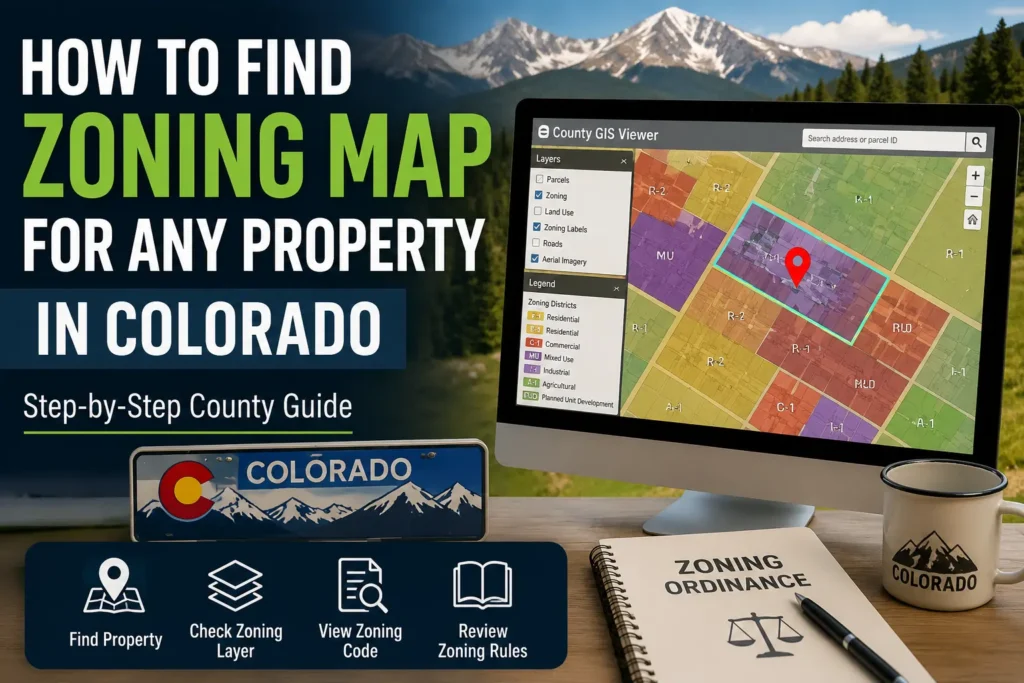
Instead, zoning is handled separately by each county and sometimes even by individual cities inside those counties. This means the experience of finding zoning information changes depending on where the property is located, which system that county uses, and how updated their mapping tools are.
Because of this, many people get stuck not because zoning is complicated, but because the system is fragmented and inconsistent.
This guide is written to remove that confusion completely and show you the real, practical way zoning is actually found in Colorado the same process used by county staff, property researchers, and real estate professionals.
Quick Access: Colorado County GIS Zoning Tools
| County | GIS / Zoning Tool |
|---|---|
| Denver | Denver Property / GIS Viewer |
| Jefferson | Jefferson County GIS Map |
| El Paso | EPC GIS Property Search |
| Douglas | Douglas County Mapping Tool |
| Arapahoe | Arapahoe GIS Parcel Viewer |
Understanding What You Are Actually Looking For When You Search “Zoning Map”
Before even touching any website or map, it is important to understand what zoning actually represents, because most users start with the wrong expectation.
When someone says “I want the zoning map,” what they usually mean is one of these:
They want to know what they are allowed to build on a property.
They want to confirm if a property can be used for residential, commercial, or industrial purposes.
They want to check if land use restrictions will affect their plans.
Or they want to verify information they heard from a seller or real estate listing.
Zoning itself is not just a color on a map. It is a legal land-use framework that defines how land can be used, developed, or restricted. Each zoning code represents a full set of rules, including what type of buildings are allowed, how big they can be, how far they must be from boundaries, and what activities are permitted.
So when you search for zoning, you are not just looking for a map. You are actually looking for a combination of three things: the parcel location, the zoning classification, and the legal rules attached to it.
Why Finding Zoning in Colorado Feels So Confusing for Most People
The biggest reason people struggle is not lack of information it is lack of consistency.
Colorado does not operate under a single zoning database. Instead, every county maintains its own system. Some counties use modern interactive GIS platforms that are easy to navigate, while others still rely on older systems or static map files.
In one county, you might enter an address and immediately see zoning highlighted on a live map. In another county, you may need to search through multiple pages, open separate layers, or even download PDF maps to understand zoning boundaries.
There is also another layer of confusion: many counties use different terminology for zoning layers. What one county calls “Zoning,” another might label as “Planning District,” “Land Use,” or “Jurisdiction Overlay.” This makes users think they are not finding zoning when in reality it is just labeled differently.
On top of that, rural areas often do not display zoning in a traditional way at all. Instead, they may use general land-use regulations that are not clearly marked on public maps.
All of this creates the impression that zoning is missing or difficult to find, when in fact it is simply distributed across different systems.
Quick Method: Find Zoning in Colorado (5 Steps)
- Find property county
- Open official county GIS website
- Search address or parcel ID
- Turn ON zoning / land-use layer
- Read zoning code + verify ordinance
The Real Problems Users Face When Trying to Find Zoning
When people try to locate zoning information, they usually run into very specific real-world problems that are not explained anywhere.
One of the most common issues is that the property does not appear correctly in the GIS system. A user enters an address, but the system either returns no result or shows multiple parcels that do not clearly match the property they are searching for. This often happens because county systems rely heavily on parcel data rather than standardized address formatting.
Another common issue is confusion caused by map layers. Many GIS tools display multiple layers at the same time, such as parcel boundaries, tax districts, land use zones, and planning overlays. Users often assume they are viewing zoning when they are actually looking at a different dataset entirely.
There is also a frequent situation where zoning simply does not appear in a clear format. In some unincorporated or rural areas, zoning is not assigned in a visible category on public GIS tools. Instead, the property falls under broader county land-use policies that are not displayed as standard zoning labels.
Finally, many users expect third-party tools like Google Maps or real estate websites to show zoning information. However, these platforms do not display official zoning data, which leads to confusion and incorrect assumptions.
The Step-by-Step Real Method to Find Zoning in Any Colorado County
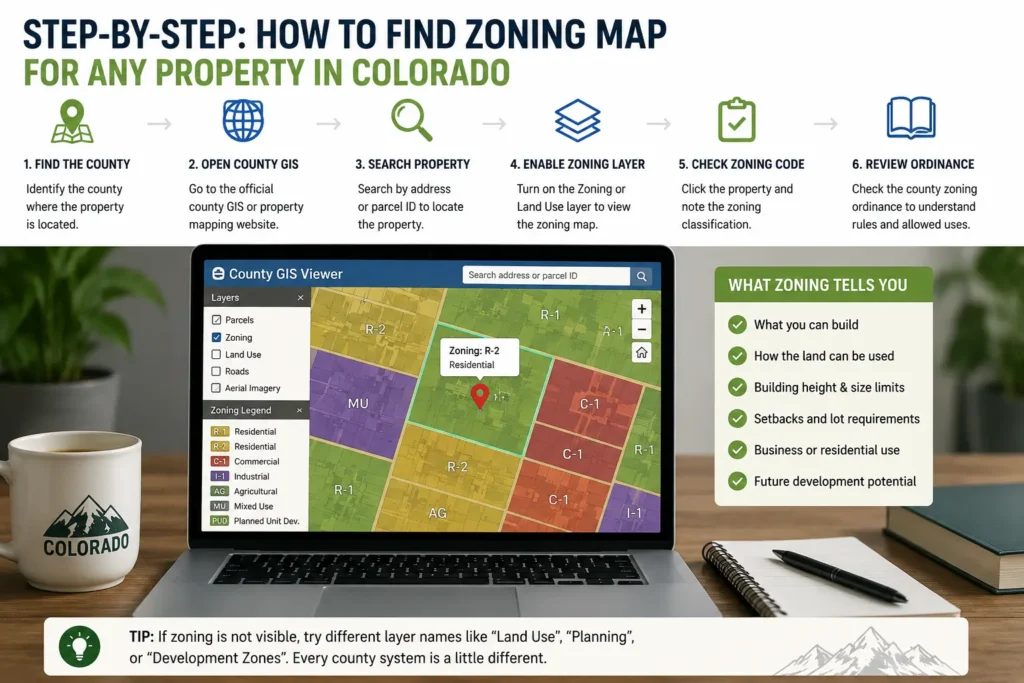
Even though every county system looks different, the actual method of finding zoning is always the same at its core. Once you understand the structure, you can apply it anywhere in Colorado.
The first step is identifying the correct county where the property is located. This is important because zoning authority does not come from the state level it always comes from the county or city level. If you are searching in the wrong jurisdiction, you will never find correct results.
Once you know the county, the next step is to open its official GIS or property search system. Almost every county in Colorado has a public GIS platform or assessor database where property records are stored. These systems are the primary source of zoning data.
After entering the system, the next step is locating the property itself. In most cases, you can search using an address. However, if the address does not return accurate results, the parcel number is always more reliable. Parcel numbers are unique identifiers used by counties to track land ownership and boundaries.
Once the property is located on the map, the next step is where most users get stuck: enabling the zoning layer. This is not always labeled clearly. Depending on the county system, it may appear under different names such as zoning, planning layer, land use, or development overlay.
After turning on the correct layer, the map will display a zoning classification directly on the property. This classification is usually shown as a short code such as residential, commercial, agricultural, or industrial zoning categories.
At this point, you are not just looking at a map anymore you are seeing the legal designation of how that land is allowed to be used.
Common Mistakes When Checking Zoning in Colorado (With Quick Fixes)
- Many users rely on Google Maps or real estate websites, but these platforms do not provide official zoning data, which often leads to incorrect assumptions about what the property allows.
👉 Quick fix: Always use the official county GIS or planning website instead of third-party property tools.
- Users often search only by address, but in many Colorado counties address search is incomplete or inaccurate, especially in rural areas, which results in missing or wrong property data.
👉 Quick fix: Use the parcel ID (APN) if available, as it is the most accurate way to locate a property in county systems.
- GIS maps can be confusing because they show multiple overlapping layers like tax zones, parcel boundaries, planning areas, and environmental overlays, which users often mistake for zoning data.
👉 Quick fix: Make sure to turn ON only the “Zoning” or “Land Use” layer to see correct information.
- Many users stop after viewing the map and do not check zoning ordinance documents, even though the map only shows classification and not the actual legal rules behind it.
👉 Quick fix: Always open the county zoning ordinance page to understand what the zoning actually allows or restricts.
- A common misunderstanding is assuming zoning rules are the same across all Colorado counties, but every county uses its own system, tools, and classifications.
👉 Quick fix: Always check zoning within the specific county where the property is located—never rely on another county’s system.
A Real-World Example That Shows How the Process Actually Works
To make this process clearer, imagine you are trying to find zoning for a property in Denver.
Instead of guessing or searching random websites, you would go directly to Denver’s official GIS mapping system. Once inside, you would enter the property address. If the address is correct, the system will zoom into the exact parcel.
From there, you would enable the zoning layer. Once activated, the parcel will show a zoning designation such as residential urban or mixed-use commercial depending on the area.
The important part here is not just seeing the label, but understanding that this label is tied to a legal zoning ordinance. That means the zoning code is not just descriptive it determines what can and cannot be built on that property.
Now if you repeat this same process in Jefferson County, El Paso County, or any other Colorado county, the interface may look different, but the logic remains exactly the same.
Why Different Counties Make Everything Feel Inconsistent
One of the most frustrating things for users is that every county feels like a completely different system. This is not an accident it is how land management is structured in the United States.
Urban counties tend to have more advanced systems because they handle higher population density, more development requests, and more zoning changes. These counties invest in interactive GIS tools that allow users to search, zoom, and filter zoning layers easily.
Rural counties, on the other hand, often prioritize simplicity over detail. Their systems may be basic, slower, or even partially offline in PDF format. This does not mean the data is missing it just means it is presented differently.
Understanding this difference is important because it prevents users from assuming something is wrong when the system simply operates in a different format.
What to Do When Zoning Does Not Show or Seems Missing
In some cases, users follow every step correctly but still cannot find zoning information. This usually happens in three situations.
The first is when the property is in an area where zoning is not individually mapped in public systems. Instead, it falls under broader land-use rules.
The second is when the GIS system is not fully updated or does not display zoning layers by default. Some counties require you to manually enable specific overlays that are not visible at first glance.
The third situation is when the property is under a special jurisdiction, such as a development district or planning area with separate regulations.
In all of these cases, the most reliable solution is to contact the county planning department directly. They maintain the official zoning records and can confirm classification with full accuracy.
Why Zoning Is One of the Most Important Property Factors
Zoning is often overlooked by buyers and investors, but it is one of the most important factors in real estate decision-making.
It determines what you can legally do with a property. A piece of land might look perfect for building a home or starting a business, but zoning restrictions can completely change what is possible.
It also affects long-term property value because zoning determines development potential. Land with flexible zoning often has higher value than land with strict limitations.
For this reason, checking zoning is not just a technical step it is a critical part of making informed property decisions.
FAQ – Colorado Zoning Map Explained in Simple Terms
Finding zoning in Colorado always starts with the county GIS system, where you can search a property and enable zoning layers to view its classification.
There is no statewide zoning map because each county manages its own land-use system independently.
Google Maps does not show zoning because it is not an official land records system.
If zoning does not appear, it usually means it is managed under broader land-use regulations or requires checking county planning records.
Zoning can change over time depending on county planning decisions and development policies.
Final Thought
Finding zoning in Colorado is not difficult once you understand the structure behind it. The challenge is not the information itself, but the lack of a single system and the differences between counties.
Once you follow the correct process identifying the county, using the official GIS tool, locating the parcel, and enabling zoning layers the entire system becomes predictable.
At that point, zoning stops feeling confusing and starts becoming a straightforward part of property research.